Special thanks . . .
to Jhonathan from Peru who helped me figure out how to get this board working and he took the excellent photos!
Overview
This installation is a little different than all the rest of the HobbyCNC GH line. No special modifications are required – just the proper arrangement of the ribbon cable.

Background
This section explains how we diagnosed the issue. Let me point out that Jhonathan provided perfect photos that allowed us to resolve the problem over the web.
You can skip past this section, and go to the installation instructions if you wish.
Initial Connection and Issue
“… only 1 button is working, … only the green button works, the other ones just don’t register.
I’ve now found out that the rest of the buttons work, but only when I’m pressing the green one”
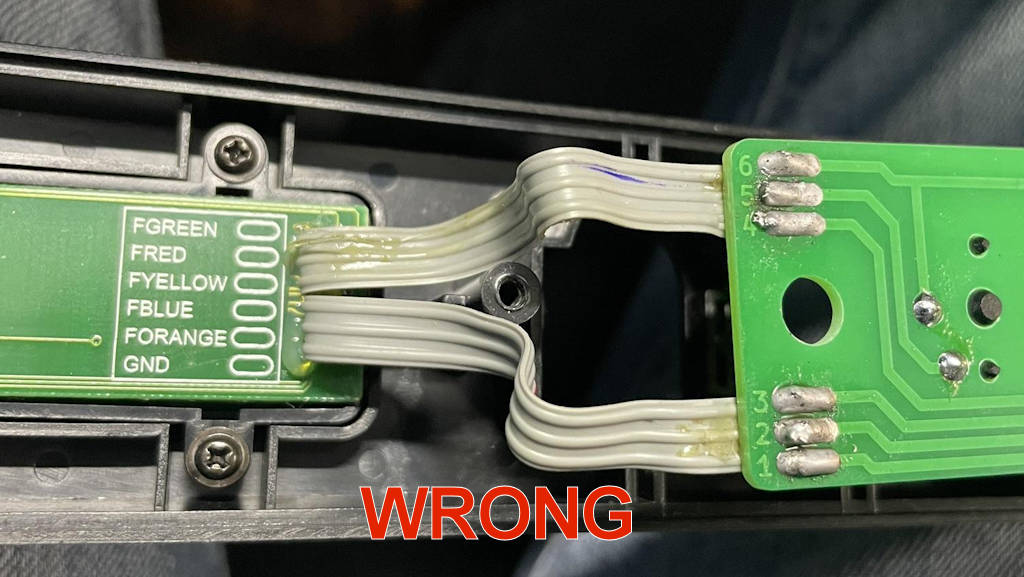
This is the typical symptom of a crossed ribbon cable. Looking at the installation, it is very clear the ribbon cables are wired 1-to-1, and the ribbon cables are not flipped.
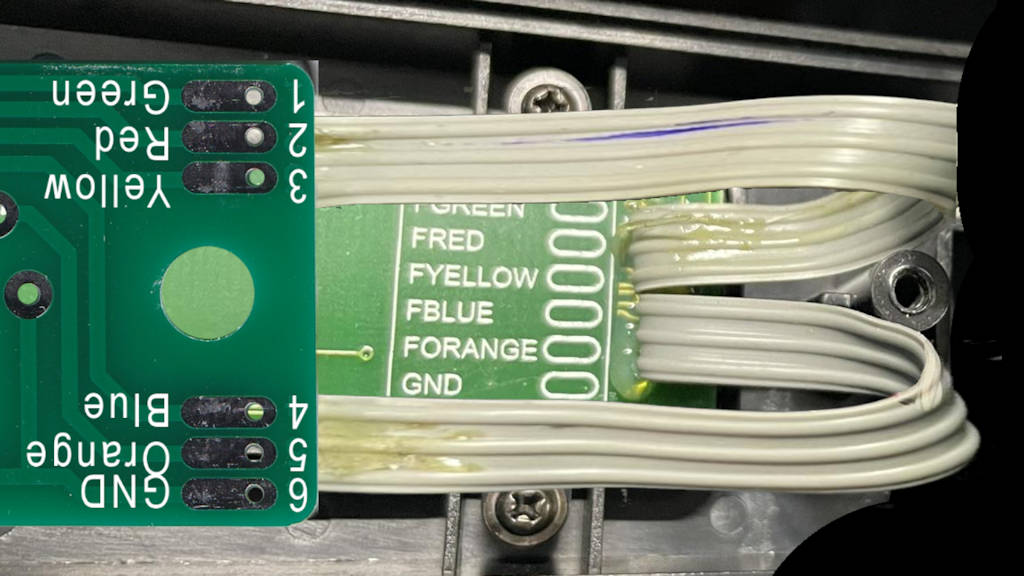
Putting the OEM board next to the GH-04 board only seemed (at first pass) to perfectly match electrically-speaking.
Thanks to this particular (excellent) photo, I could see the issue. Although the boards look identical, they are, in fact, exactly reversed from each other.
The image to the right is showing the BOTTOM of the GH-04 board compared to the TOP of the OEM fret board. One needs to “flip over” one of the boards, THEN compare the wiring.
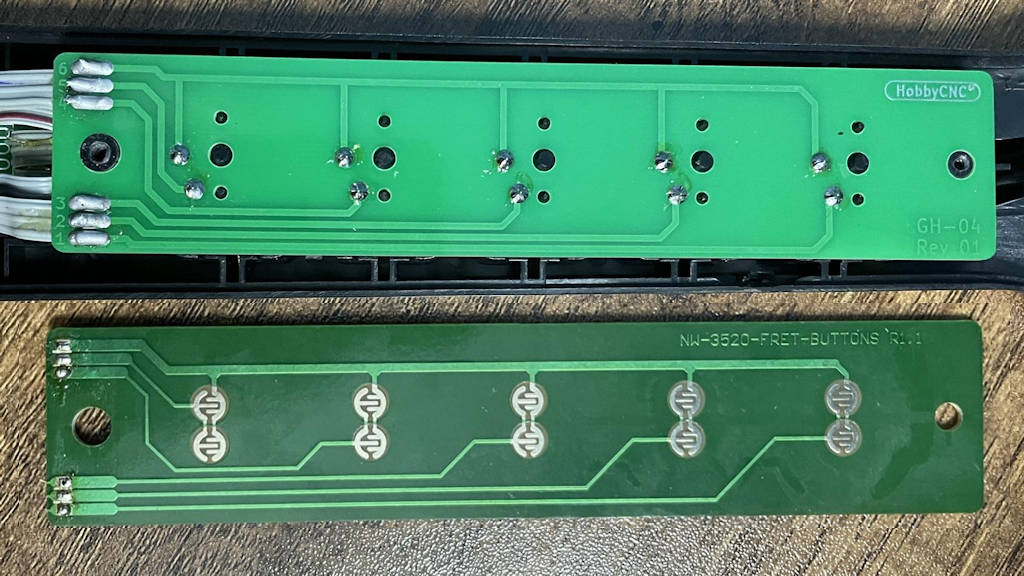
ALMOST – the HobbyCNC board is upside-down!
Installation Instructions
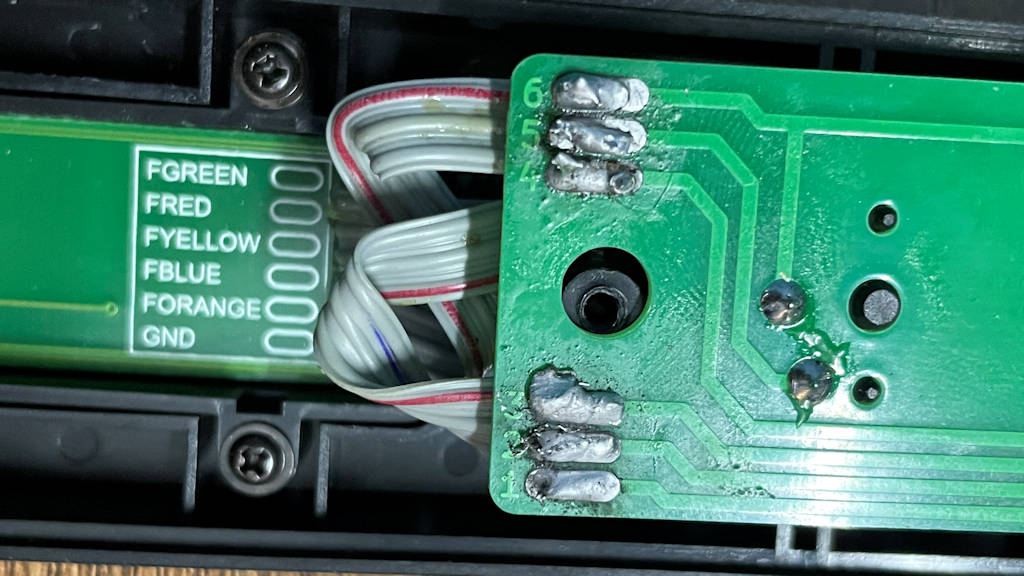
The fix requires us to purposely flip the ribbon cable.
Start by laying the GH-04 board, buttons down, over the other circuit board in the guitar neck.
Now, soldering the wires 1-to-1 will match the common (GND) and all the colors to their proper places.
Now, when the GH-04 board is flipped-and-rotated to mount into the neck, you will see that the ribbon cables are now (correctly) flipped-and-reversed.
“I did manage to re solder the board and it’s working perfectly now. In-game there are no false contacts nor do any of the buttons activate anything other than what they’re intended to activate.
QED

Every effort was made to ensure this information is accurate.
If you discover an error or a correction, please let me know through the Support Page.
An asterisk (*) indicates information is needed.