How to use HobbyCNC mechanical fret boards for Arduino or Raspberry builds.
The important design element is the one common (typically ground) that touches one side of EVERY switch. The other side of each switch is brought to it’s own, individual pad/connector.
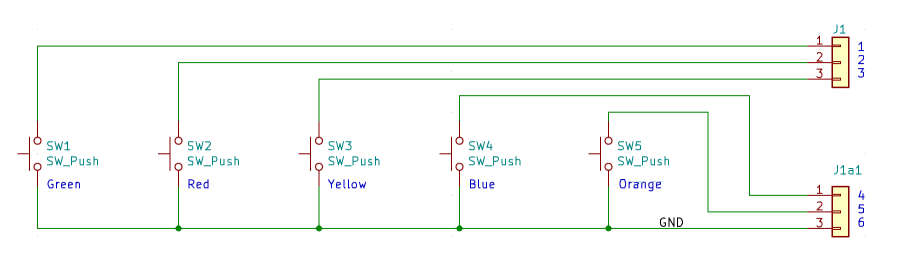
Most microcontrollers provide internal “pull up” resistors on their input pins. The switches, as wired in the schematic above, when pressed, will “pull-down” to ground the voltage on their respective microcontroller input pin.
There are more complex ways to accomplish this (e.g. multiplexing), but for only 5 buttons, a complex approach is not practical.
All of the 6-pin HobbyCNC boards (GH-03, 04, 05, 06 11, 12 and 14) are already in this ‘common ground’ configuration, and therefore require no special adaptation.
The remaining, 8-pin HobbyCNC boards require minor jumpering of pins to create that ‘common ground’ design.
This information will apply to OEM boards too. The HobbyCNC boards are a 1-to-1 pinout match to their respective OEM Boards.
NOTE: there are no modifications to the HobbyCNC circuit board – only how you deal with how/where the wires connect.
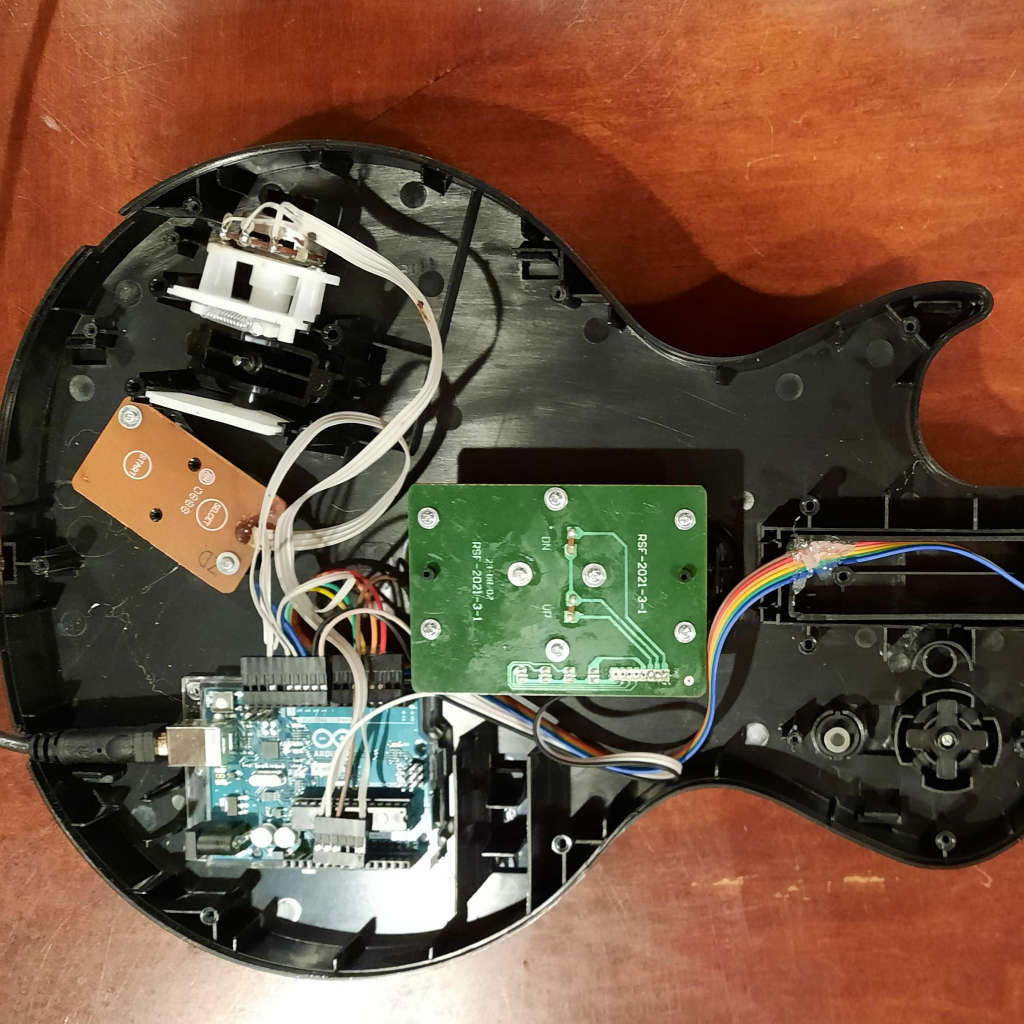
Start by referencing the Selection Guide and find which GH board is the ‘match’ for your OEM board, then return here for wiring instructions.
REMEMBER: the numbering on the HobbyCNC boards may appear backwards from the OEM board, but that’s because our circuitry is on opposite sides of the board – OEM circuitry is on the same side as the fret buttons, HobbyCNC circuitry is on the side away from the fret buttons.
The charts below explain exactly how to wire each board so it will behave like an “ideal” 6-wire board. 6-wire boards require no conversion, 8-wire boards will typically require 3 ground connections. As with everything else I’ve discovered, not all boards are wired the same!
| Ninja Column 1 | Ninja Column 2 | Ninja Column 3 |
|---|---|---|
| GH-01 | 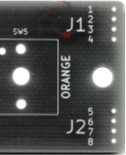 | 1 – Ground 2 – Ground 3 – Blue 4 – Ground 5 – Orange 6 – Yellow 7 – Red 8 – Green |
| GH-03 | 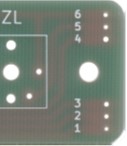 | 6 – Ground5 – Orange4 – Blue3 – Yellow2 – Red1 – Green |
| GH-05 | 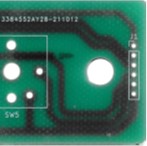 | 1 – Green 2 – Red 3 – Yellow 4 – Blue 5 – Orange 6 – Ground |
| GH-07 | 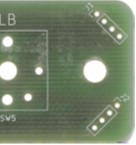 | J1.1 – Ground J1.2 – Blue J1.3 – Ground J1.4 – Ground J2.1 – Orange J2.2 – Yellow J2.3 – Red J2.4 – Green |
| GH-09 | 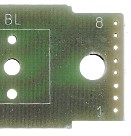 | 8 – Ground7 – Ground6 – Ground5 – Orange4 – Blue3 – Yellow2 – Red1 – Green |
| GH-11 | 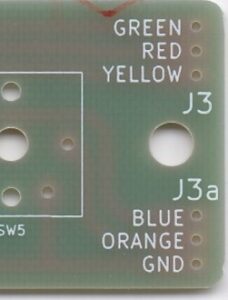 | 1 – Green 2 – Red 3 – Yellow 4 – Blue 5 – Orange 6 – Ground |
| GH-14 | 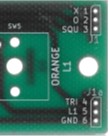 | 1 – Green 2 – Red 3 – Yellow 4 – Blue 5 – Orange 6 – Ground |
| GH-16 | 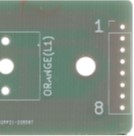 | 1 – Ground 2 – Ground 3 – Ground 4 – Orange 5 – Blue 6 – Yellow 7 – Red 8 – Green |
| Ninja Column 1 | Ninja Column 2 | Ninja Column 3 |
|---|---|---|
| GH-02 | 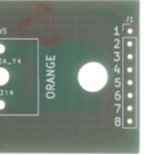 | 1 – Ground 2 – Ground 3 – Blue 4 – Ground 5 – Orange 6 – Yellow 7 – Red 8 – Green |
| GH-04 | 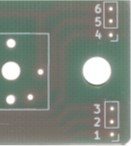 | 6 – Ground 5 – Orange 4 – Blue 3 – Yellow 2 – Red 1 – Green |
| GH-06 | 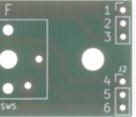 | 1 – Green 2 – Red 3 – Yellow 4 – Blue 5 – Orange 6 – Ground |
| GH-08 | 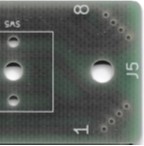 | 8 – Green 7 – Red 6 – Blue 5 – Yellow 4 – Orange 3 – Ground 2 – Ground 1 – Ground |
| GH-10 | 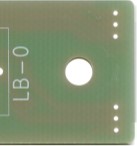 | 1 – Green 2 – Red 3 – Yellow 4 – Blue 5 – Orange 6 – Ground |
| GH-12 | 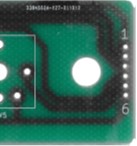 | 1 – Green 2 – Red 3 – Yellow 4 – Blue 5 – Orange 6 – Ground |
| GH-15 | 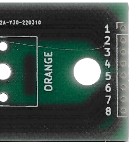 | 1 – Ground 2 – Blue 3 – Ground 4 – Ground 5 – Orange 6 – Yellow 7 – Red 8 – Blue |

Every effort was made to ensure this information is accurate.
If you discover an error or a correction, please let me know through the Support Page.
An asterisk (*) indicates information is needed.