[stextbox id=”alert” defcaption=”true”]Don’t use microstepping to increase the “precision” of your machine.[/stextbox]
The HobbyCNC driver boards allow five different modes of driving your stepper motors. These can be set differently between each axis if desired. As a side note, 1/8 and 1/16 stepping MAY require quite a lot of computer process power!
[stumble]
We recommend using 1/2 or 1/4 step. This produces almost full power and usually avoids any resonance issues. The finer the micro step the less power you’ll have.
The Microstepping is set as follows. Note: The right-most jumper is for Idle Current Reduction and is on the PRO boards only.
| J1 | J2 | J3 | ||
|---|---|---|---|---|
| 1/1 Step | ON | ON | OFF | 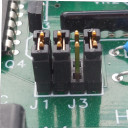 |
| 1/2 Step | ON | OFF | OFF | 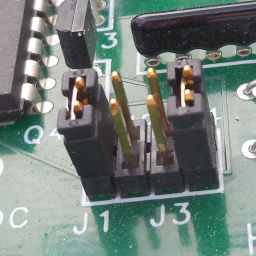 |
| 1/4 Step | OFF | ON | ON | 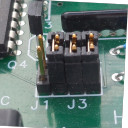 |
| 1/8 Step | OFF | ON | OFF | 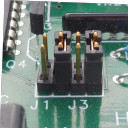 |
| 1/16 Step | OFF | OFF | ON | 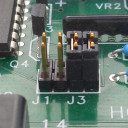 |
[one_half]You will need to set your CAM software to account for the microstepping. I have my HobbyCNC board set to 1/2 microsteps but forgot to set this in my CAM software and I came out with little-bitty parts (1/2 size).
In Mach3 it appears you need to multiply steps per revolution of the motor times the microstep setting to derive “Pulses Per Revolution”. (I think)[/one_half]
[one_half_last]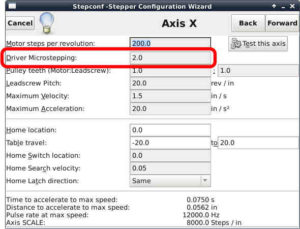
LinuxCNC Microstepping Configuration. Repeat for each axis. This is set in the StepConfig wizard.[/one_half_last]